
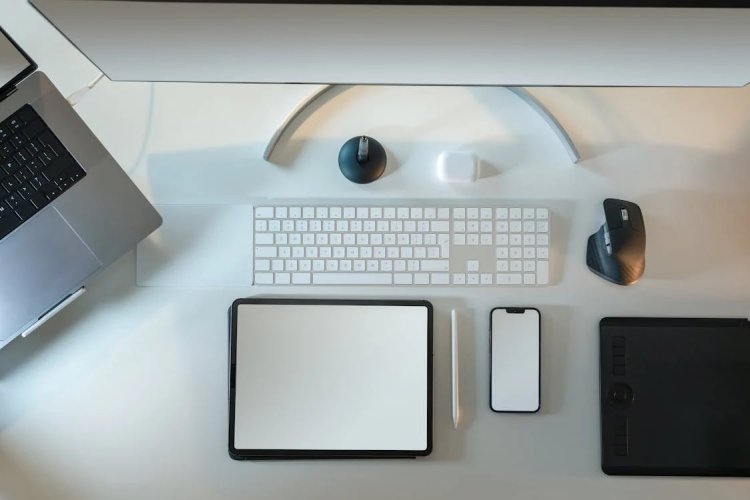
Workplace ergonomics means designing tasks, equipment, and the work environment to fit the people doing the work. It is not limited to buying a particular chair. A useful ergonomics program looks at posture, repetition, force, duration, tools, lighting, workload, and employee feedback together.
The U.S. National Institute for Occupational Safety and Health (NIOSH) explains that ergonomics can help reduce or eliminate work-related musculoskeletal disorders and other injuries. The appropriate solution depends on the task and the individual, so this article provides general workplace guidance rather than medical advice.
Why ergonomics belongs in productivity planning
Discomfort, awkward posture, repeated force, and prolonged static positions can make work harder to sustain. NIOSH identifies awkward postures, repetition, force, vibration, and task duration among important workplace risk factors. Addressing those conditions supports safety first; any productivity benefit should be treated as a result of better work design, not as a reason to ignore employee limits.
Ergonomics also improves operational clarity. When managers examine how a task is actually performed, they often discover unnecessary reaching, repeated data entry, poor tool placement, avoidable handoffs, or schedules that do not allow recovery.
Seven areas to review
1. Chair and seated posture
Adjust the chair so the user has stable support and can keep feet supported by the floor or a footrest. The setup should allow relaxed shoulders and avoid pressure behind the knees. A chair is only one part of the system; desk height, keyboard position, and screen placement must work with it.
2. Monitor placement
Place the primary display directly in front of the user at a comfortable viewing distance. The aim is to avoid sustained neck rotation, repeated leaning, and glare. People who use multiple monitors may need a different arrangement based on which screen is primary.
3. Keyboard and pointing devices
Arrange frequently used input devices close enough that elbows can remain near the body and wrists are not held at an extreme angle. Shortcuts, alternative devices, and task redesign may help when a role requires highly repetitive input.
4. Lighting and glare
Review reflections, contrast, window position, and task lighting. The best arrangement varies with the work: detailed visual tasks, video calls, and general computer work can require different light levels.
5. Repetition and static work
Even a neutral posture can become tiring when held for too long. The NIOSH risk-factor guidance notes that prolonged static positions can contribute to muscle fatigue and disrupted blood flow. Where the work allows it, vary tasks, change position, and create realistic opportunities for recovery.
6. Manual handling
Lifting, carrying, pushing, and pulling require task-specific assessment. For jobs involving two-handed lifting, the Revised NIOSH Lifting Equation is one recognized assessment tool. Complex or high-risk work should be evaluated by a qualified safety or ergonomics professional.
7. Work organization
Ergonomic risk is not purely physical. Work pace, repetitive demands, low task control, and extreme mental demand can affect employee wellbeing. Review scheduling, staffing, software friction, interruption patterns, and whether employees can report problems without negative consequences.
A practical ergonomics improvement process
- Ask employees where discomfort or friction occurs. Anonymous surveys, team discussions, and direct observation can reveal issues that injury records miss.
- Identify the task and exposure. Record what action occurs, how often, for how long, and under what conditions.
- Prioritize design changes. NIOSH recommends using higher levels of the hierarchy of controls where possible—changing the task, equipment, or layout is generally stronger than relying only on personal behavior.
- Pilot the change. Test with the people who perform the work and allow time for adjustment.
- Review outcomes. Check discomfort reports, errors, interruptions, absence patterns, and task performance without treating any single metric as proof.
- Maintain the program. Reassess when equipment, software, work location, staffing, or processes change.
NIOSH provides a complete seven-step ergonomics program covering risk identification, worker involvement, implementation, evaluation, recovery, and continued commitment. OSHA also publishes ergonomics guidance and resources for employers.
How work-time data can support—not replace—ergonomic review
Time-tracking reports cannot diagnose an injury or determine whether a workstation is safe. They can, however, help teams identify patterns worth investigating: unusually long uninterrupted sessions, frequent work outside planned schedules, sustained overtime, or workload concentration in one role.
Use time and productivity tracking together with employee feedback and professional safety guidance. Focus mode and work-habit tools can support clearer work periods, while reports and dashboards help managers review workload patterns over time.
When to seek professional advice
Persistent pain, numbness, weakness, reduced movement, or other health concerns should be discussed with a qualified healthcare professional. Employers should involve an occupational safety or ergonomics specialist when tasks include significant lifting, force, vibration, repetition, unusual equipment, or reported injuries. Local legal and occupational-health requirements take precedence over general online guidance.

