
Time and attendance tracking supports profitability by turning working hours, absences, and schedule adherence into reliable operational data. It does not create profit by itself. Its value comes from helping managers find avoidable labor costs, reduce manual administration, and plan workloads using evidence instead of assumptions.
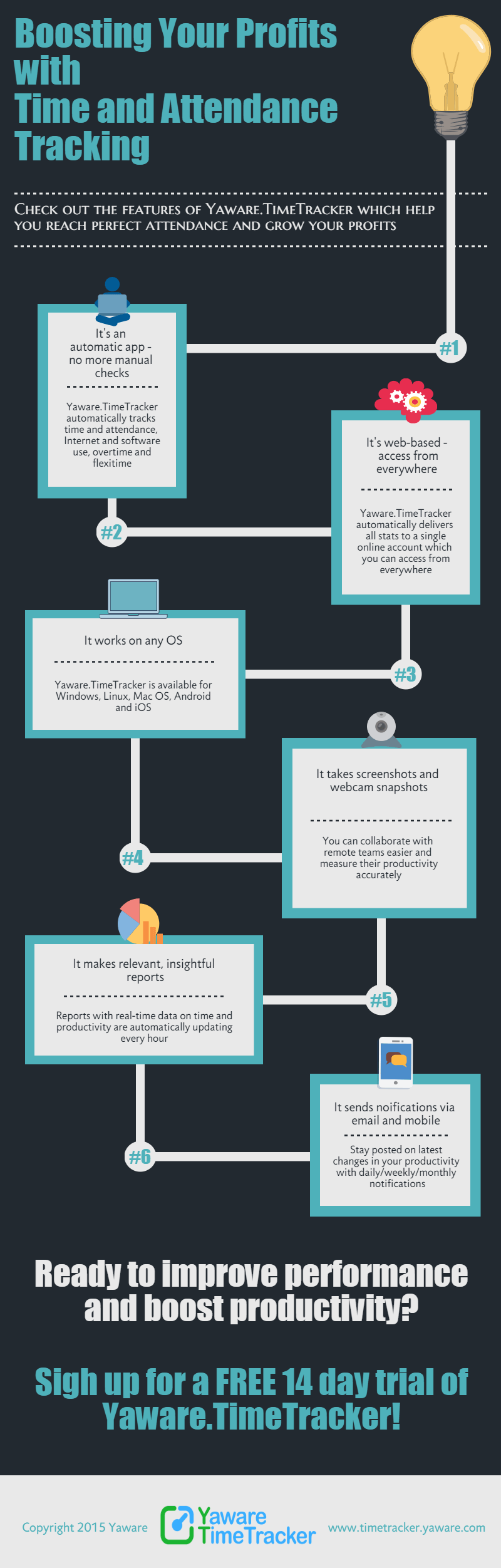
The original Yaware infographic below summarizes this relationship. The explanation that follows makes its key ideas accessible in text and shows how to apply them responsibly.
What time and attendance data can reveal
- Actual labor input: compare planned schedules with recorded hours without rebuilding timesheets manually.
- Recurring overtime: identify teams or projects where workload, staffing, or process design needs attention.
- Attendance patterns: distinguish isolated exceptions from repeated late starts, absences, or schedule gaps.
- Administrative effort: reduce the time spent collecting, correcting, and consolidating time records.
- Project context: connect working time with tasks or projects to support costing and future estimates.
Yaware can collect this information through automatic time and productivity tracking and prepare it for review through reports and dashboards. Managers still need to interpret the results in the context of role, workload, systems, and agreed working practices.
How tracking supports better cost decisions
1. Replace estimates with consistent records
Manual timesheets often depend on memory and are completed after the work has happened. Automatic tracking creates a more consistent record of when work begins, pauses, and ends. That gives payroll, finance, and team leads a common dataset to review.
2. Investigate overtime before it becomes routine
Repeated overtime may indicate a successful project under temporary pressure, but it may also signal understaffing, inefficient handoffs, unclear priorities, or unrealistic estimates. A report is a starting point for a conversation—not proof of poor performance.
3. Improve future planning
Historical time data helps teams compare estimated and actual effort. Over several projects, this can improve staffing decisions, delivery forecasts, and client pricing. For service organizations, billing and invoicing data can provide an additional bridge between time records and commercial reporting.
A practical implementation checklist
- Define the business question before choosing a metric.
- Tell employees what is collected, why it is collected, and who can access it.
- Use the least intrusive settings that answer the business need.
- Review trends at team or process level before drawing conclusions about individuals.
- Combine quantitative reports with project context and employee feedback.
- Revisit the policy when roles, tools, or legal requirements change.
Explore the full Yaware feature set, review the current pricing plans, or start a free trial to test the workflow with your own team.

